Microsoft Power Apps Power Automate and Power BI services

Microsoft Business Applications

Microsoft Power Platform Services for Apps, Automation & Analytics

Microsoft Power Platform helps organisations digitise business processes without treating every requirement as a full custom-development project. PQube uses Power Apps, Power Automate and Power BI to build low-code applications, automate approvals and recurring workflows, and create dashboards that improve operational visibility.

← All Services

Business Context

Digitise Business Workflows Faster Without Losing Control

Teams often manage requests, approvals, inspections, reporting and follow-ups through email and spreadsheets because the process is too specific for a standard system but too small for a major software project. Power Platform can fill this gap when it is designed carefully.

PQube helps define the process, users, data, integration and governance model before building the app or automation. That keeps low-code delivery focused on practical business outcomes and makes it easier to scale without losing ownership.

Core Capabilities

What PQube Can Help You Deliver

Focused capabilities that can be combined or phased according to business priorities, existing systems and organisational readiness.

Power Apps

Build low-code applications for internal operations, field processes, approvals, requests and business-specific use cases.
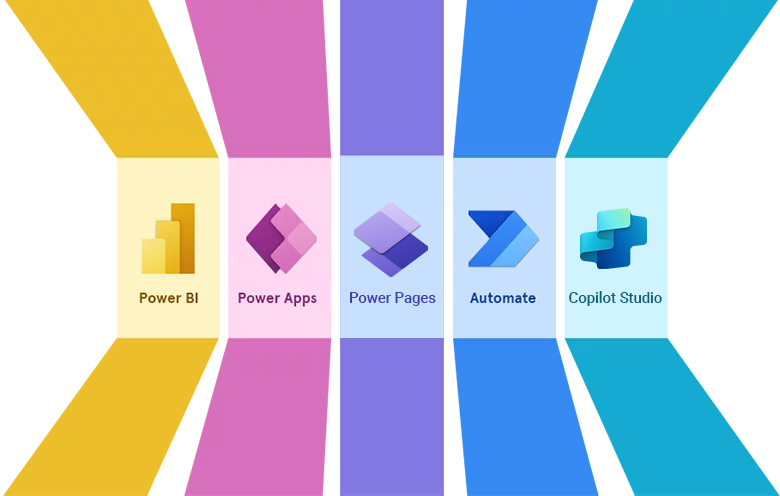
Power Automate

Automate notifications, approvals, handoffs, document processes and recurring workflow activities.

Power BI

Create management dashboards and reporting views using consistent KPIs and consolidated data.

Microsoft 365 Integration

Extend SharePoint, Teams and Microsoft 365 with apps, forms and automated workflows.

Data & System Integration

Connect Power Platform use cases with business systems and data sources where appropriate.

Governance & Application Lifecycle

Define permissions, environment practices, ownership and change processes so low-code solutions remain manageable.

Why PQube Power Platform

Low-Code Delivery That Stays Aligned to the Business

PQube combines process understanding, Microsoft platform depth, integration and governance so Power Platform initiatives solve specific operating problems without becoming another unmanaged application layer.

Business-Led Low-CodeStart with the workflow, users, decisions and data—not the tool.
Microsoft Ecosystem IntegrationConnect Power Apps, Power Automate and Power BI with Microsoft 365, Dynamics 365, Azure and wider enterprise systems.
Governance by DesignDefine environments, permissions, ownership and lifecycle practices as adoption grows.
Build → Operate ContinuitySupport enhancement, monitoring and continuous improvement after the first app or workflow goes live.

Business Outcomes

What the Programme Is Designed to Improve

Faster digitisation of manual processes

Reduced email and spreadsheet dependency

Better approval and task visibility

Low-code applications aligned to business workflows

Management dashboards with clearer KPIs

A governed foundation for scaling Power Platform use

Proof in Practice

ISSI — Power Platform Enablement Across Business Operations

PQube used Power Apps, Power Automate and Power BI as part of a connected Microsoft platform supporting sales, finance, consulting delivery, scheduling and reporting.

Business Need

  • Manual activities and handoffs
  • Disconnected operational information
  • Need for better management visibility

Power Platform Enablement

  • Power Apps for business applications
  • Power Automate for workflow automation
  • Power BI for consolidated reporting

Business Impact

  • More structured workflows
  • Reduced manual effort
  • Centralised operational and business visibility

Related Capabilities

Continue Your Digital Roadmap

Explore the connected capabilities that can support the next stage of this requirement.

CLUTCH REVIEWS

Rated by the Clients We Serve

Independent, verified client feedback on delivery quality, project management, value and willingness to recommend PQube.
4.9
★★★★★
24 verified reviews
Quality 4.8
Schedule 4.8
Cost 4.8
Willing to Refer 4.9
View Clutch Profile ↗
VERIFIED CLUTCH REVIEW
★★★★★ 5.0
“We are very happy with them.”
CRM Development & Consulting Partner, ISSI Inc · Enterprise Technology Consulting
View Verified Review on Clutch ↗
VERIFIED CLUTCH REVIEW
★★★★★ 5.0
“The team was very professional with their approach.”
Web Design & Digital Experience Director of Operations, IncepBio
View Verified Review on Clutch ↗
VERIFIED CLUTCH REVIEW
★★★★★ 5.0
“They are simply superb with on-time delivery of all the milestones.”
Web Development, SEO & Digital Marketing Founder & Chairman, AVtalkz
View Verified Review on Clutch ↗
VERIFIED CLUTCH REVIEW
★★★★★ 4.5
“PQube has the length and breadth of knowledge in almost all areas of IT solutions.”
Learning Management Solution Chairman & Managing Director, BReT Solutions
View Verified Review on Clutch ↗
VERIFIED CLUTCH REVIEW
★★★★★ 5.0
“The quality of the work they deliver for the money we’re investing is top-notch.”
Mobile Application Development & Support Digital, Data & IT Project Manager, Novo Nordisk
View Verified Review on Clutch ↗
VERIFIED CLUTCH REVIEW
★★★★★ 5.0
“I was most impressed with the drive and dedication their team had.”
Custom eCommerce Development CEO, Grand Slam Designs
View Verified Review on Clutch ↗
01  /  06

Frequently Asked Questions

Power Platform FAQs

What is included in Microsoft Power Platform?
For this PQube page, the core focus is Power Apps for low-code applications, Power Automate for workflows and Power BI for dashboards and analytics.
When should we use Power Apps instead of custom development?
Power Apps can be appropriate for focused internal workflows and business applications where Microsoft integration and low-code delivery fit the requirement. Complex or highly specialised products may still require custom engineering.
Can Power Platform integrate with existing systems?
Yes. Integration can use Microsoft connectors, APIs and other integration approaches depending on the target systems and data requirements.
Can PQube help govern Power Platform usage?
Yes. The source material includes environment strategy, permissions, application lifecycle management and governance as important parts of Microsoft adoption.
Can a Power Platform project start with one workflow?
Yes. A focused workflow or reporting use case is a practical way to validate the app, automation, data and governance model before broader rollout.
Does Power Platform replace every custom application?
No. Power Platform is well suited to many low-code business processes, while complex, specialised or customer-facing products may still require custom engineering.

Turn a Manual Process into a Governed Power Platform Pilot

Select one high-value workflow and assess the right mix of Power Apps, Power Automate, Power BI, integration and governance before scaling.

Schedule a Discovery Workshop